Install iOS 13.4 Checkra1n Jailbreak For Windows


checkra1n jailbreak is the new generation jailbreaking tool based on the permanent unpatchable bootrom exploit called checkm8 by axi0mX. The app can be used to jailbreak all iOS Devices between A5 to A11 including iOS 12.3 up to iOS 13. Download checkra1n jailbreak tool for Mac and Linux.
What is checkra1n?
checkra1n is an ultimate jailbreak tool with support for most generations of iOS devices starting from iPhone 4S (A5 chip) to iPhone 8 and iPhone X (A11 chip). All of the devices mentioned are jailbreakable for their entire lifetime. This means every present iOS version and versions that will come in the future.
All A5 to A11 devices are compatible with checkra1n jailbreak. Only the latest devices including iPhone 11 Pro, iPhone 11, iPhone 11 Pro Max, iPhone XR, iPhone XS Max, iPhone XS, and iPhone XS Max are not compatible with checkra1n Jailbreak. Install Cydia app on the latest iOS 13 to 13.3 Version.
checkra1n compatibility (supported devices):
- A5 - iPad 2, iPhone 4S, iPad Mini (1st generation)
- A5X - iPad (3rd generation)
- A6 - iPhone 5, iPhone 5C
- A6X - iPad (4th generation)
- A7 - iPhone 5S, iPad Air, iPad Mini 2, iPad Mini 3
- A8 - Phone 6, iPhone 6 Plus, iPad mini 4
- A8X - iPad Air 2
- A9 - iPhone 6S, iPhone 6S Plus, iPhone SE, iPad (2017) 5th Generation
- A9X - iPad Pro (12.9 in.) 1st generation, iPad Pro (9.7 in.)
- A10 - iPhone 7 and iPhone 7 Plus, iPad (2018, 6th generation), iPad (2019, 7th generation)
- A10X - iPad Pro 10.5" (2017), iPad Pro 12.9" 2nd Gen (2017)
- A11 - iPhone 8, iPhone 8 Plus, and iPhone X
Checkm8 is a tethered iOS exploit tool that requires to boot your iPhone after every reboot. It's the main component for checkra1n jailbreak tool and most importantly it is a lifetime jailbreak exploit and Apple cannot patch it with iOS upgrades. This bug was fixed only in the newest hardware upgrade.

What more you can achieve with Checkm8 exploit? Downgrade or upgrade to any jailbreakable iOS version without SHSH support, checkm8 supports dual-booting (device can be boot to Android) and will work with all upcoming iOS versions released by Apple. A computer is required to jailbreak.
Also, Apple Watch first-gen, and Series 1, 2, and 3 are vulnerable to checkm8 exploit. checkra1n Tool can also bypass jailbreak detection in-app DRM mechanisms. Recently there is news that checkra1n supports also Apple TV (1st, 2nd, 3rd, and 4th generation) on tvOS 13.
The new jailbreak tool was possible thanks to contributors known to the jailbreak community like ih8sn0w, jonseals, pshycotea, qwertyoruiop, nullpixel, xerub, siguza, aregp, axi0mx, and others. checkra1n Jailbreak will allow you to install any package manager (Cydia, Zebra, Sileo, etc.)
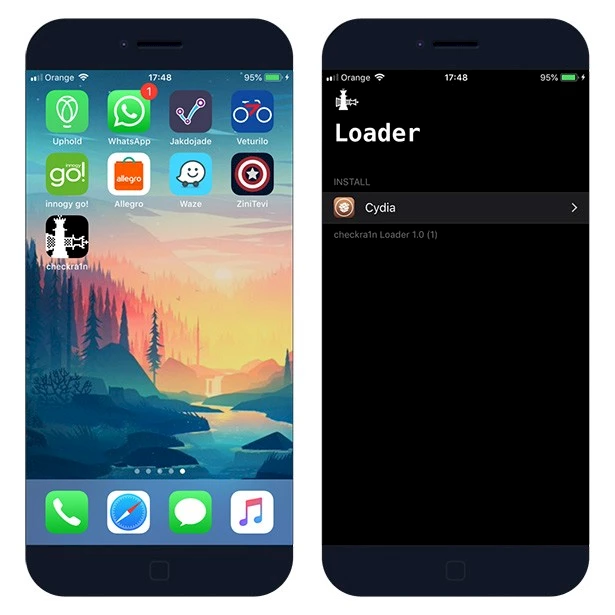
checkra1n Jailbreak Tool uses Cydia Substrate, the powerful code modification platform behind Cydia. Substrate makes it easy to modify software, even without the source code. From Cydia package manager you can install tweaks, hacks, libraries, and apps from so-called repositories.
checkra1n for Windows
CHECKRA1N IOS FILE FOR WINDOWS XP,7,8,8.1,10

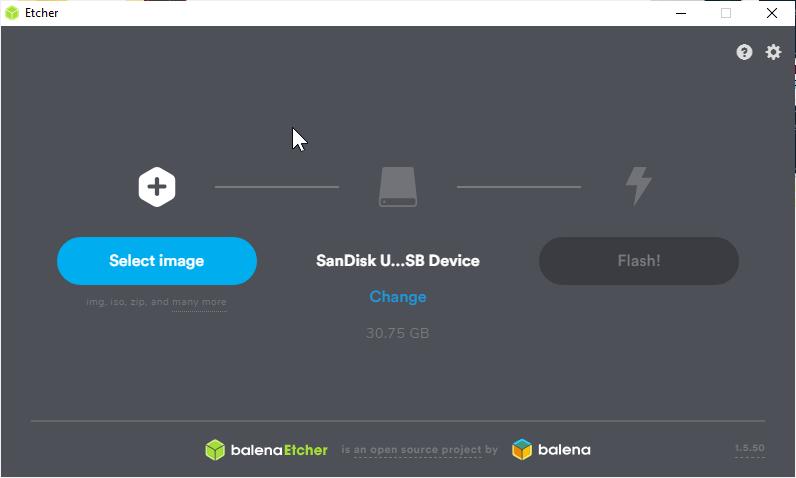
Balena Etcher Download For Windows
Derect Download Link

SD Card Formatter

SD Memory Card Formatter 5.0.1 for SD/SDHC/SDXC
The SD Memory Card Formatter formats SD Memory Card, SDHC Memory Card and SDXC Memory Card (respectively SD/SDHC/SDXC Cards) complying with the SD File System Specification created by the SD Association (SDA).
It is strongly recommended to use the SD Memory Card Formatter to format SD/SDHC/SDXC Cards rather than using formatting tools provided with individual operating systems. In general, formatting tools provided with operating systems can format various storage media including SD/SDHC/SDXC Cards, but it may not be optimized for SD/SDHC/SDXC Cards and it may result in lower performance.
SD/SDHC/SDXC Cards have a “Protected Area” for SD Card security purposes. The SD Memory Card Formatter does not format the protected area in the SD/SDHC/SDXC Cards. The protected area shall be formatted by an appropriate PC application or SD host devices that provide SD security function.
The SD Memory Card Formatter doesn't support SD/SDHC/SDXC Card encrypted by the “BitLocker To Go" functionality of Windows. Please format the SD/SDHC/SDXC Card after it has been unlocked.
Derect Download Link

TAGS
jailbreak,how to jailbreak ios 13,jailbreak iphone 4s,jailbreak iphone 5c,jailbreak iphone 5,how to jailbreak ios 9.3.5,iphone,how to jailbreak on ios 13,how to jailbreak,phoenix jailbreak,jailbreak ios 13,jailbreak ios 9.3.5,how to jailbreak iphone 4s,jailbreak ipad 2,jailbreak ipad 3,jailbreak ipad 4,ios 13 jailbreak,jailbreak iphone 5s,jailbreak iphone,jailbreak iphone 6,jailbreak iphone 11, bypass icloud,icloud,bypass,icloud bypass,bypass icloud lock,icloud unlock,bypass icloud ios 13.4,how to bypass icloud lock,bypass icloud ios 13.3.1,bypass icloud activation,icloud bypass 13.3,ios 13.3 icloud bypass,unlock icloud,icloud activation lock bypass,fix sim card after bypass icloud,bypass icloud activation ios 13.3,icloud bypass ios 13.3,how to bypass icloud activation lock
